
In the world of gaming, having the right equipment can significantly enhance your experience. Building your own gaming PC allows you to customize every component to suit your specific needs, whether you prioritize graphics, speed, or storage. This guide will take you through the essential steps and considerations for assembling a gaming PC that meets your expectations.
Understanding the Basics of PC Components
Before diving into the assembly process, it’s crucial to understand the primary components of a gaming PC. The key parts include the CPU (Central Processing Unit), GPU (Graphics Processing Unit), RAM (Random Access Memory), motherboard, storage (HDD or SSD), and power supply. Each of these components plays a vital role in the overall performance of your gaming system.
The CPU is often referred to as the brain of your computer. It processes instructions and performs calculations, making it essential for gaming performance. GPUs are equally important, as they handle the rendering of graphics and ensure smooth frame rates during gameplay. When selecting these components, consider factors such as compatibility, performance benchmarks, and user reviews.
Choosing the Right Components
When selecting components for your gaming PC, one of the most critical decisions is choosing the right CPU and GPU. For instance, high-end gaming often requires a multi-core processor like the AMD Ryzen 7 or Intel Core i7, which can handle demanding games and multitasking efficiently. Similarly, NVIDIA and AMD offer a range of GPUs catering to different budgets and performance levels.
Another consideration is the amount of RAM. While 8GB is generally the minimum for gaming, 16GB or more is recommended for a smoother experience, especially in modern titles. Additionally, consider the type of storage you want. SSDs offer faster load times than traditional HDDs, making them a popular choice among gamers.
The Assembly Process
Once you have gathered all your components, it’s time to assemble your gaming PC. Start by preparing your workspace and ensuring you have the necessary tools, such as a screwdriver and anti-static wrist strap. Begin with the motherboard, installing the CPU and RAM before placing it into the case. Follow this with the installation of the power supply and GPU.
It’s essential to manage your cables effectively to ensure good airflow within the case, which helps keep your components cool during intense gaming sessions. After assembling all parts, double-check your connections and ensure everything is securely in place before powering on your PC.
Installing Software and Drivers
After successfully assembling your gaming PC, the next step is to install an operating system. Windows is the most popular choice among gamers due to its extensive compatibility with games and software. Once the OS is installed, you’ll need to install drivers for your GPU, motherboard, and other components to ensure optimal performance.
In addition to drivers, consider installing gaming software, such as Steam or Epic Games Store, to access a vast library of games. Regularly updating your drivers and software can help prevent issues and enhance your gaming experience.
Maintaining Your Gaming PC
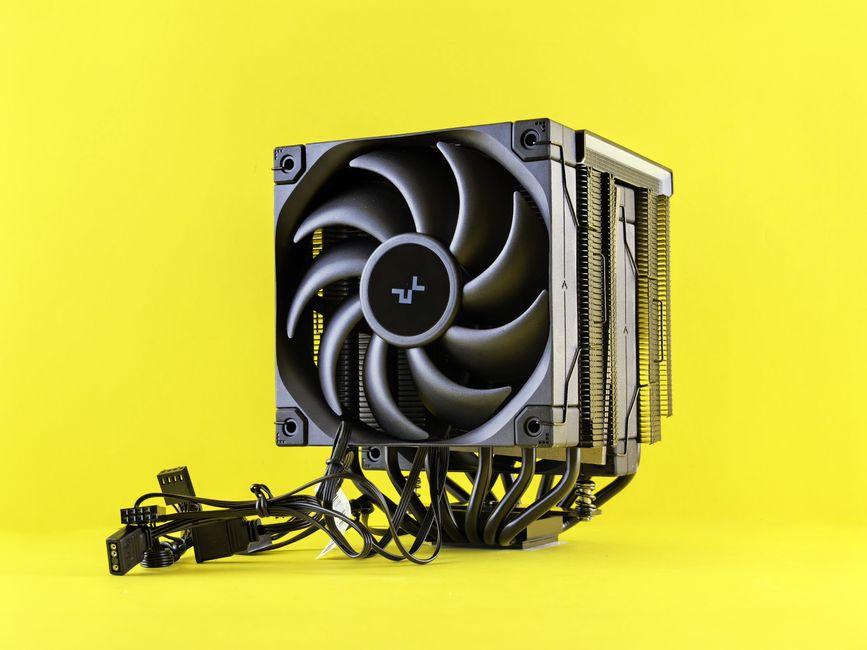
Maintaining your gaming PC is crucial for longevity and performance. Regularly clean your system to remove dust and debris that can accumulate over time. This includes cleaning fans, heatsinks, and other components to prevent overheating.
Monitor the performance of your PC, keeping an eye on temperatures and system performance during gameplay. If you notice any unusual behavior, it may be time to troubleshoot or upgrade certain components. Staying informed about the latest hardware trends can also help you make informed decisions about future upgrades.
For those looking to build their own gaming PC, there are a plethora of resources available online. Websites like gaming PC builder can assist in selecting compatible parts and provide build guides tailored to your budget and gaming preferences.
Conclusion
Building a gaming PC can be a rewarding experience that allows you to customize your setup to your unique gaming style. By understanding the components, choosing the right parts, and maintaining your system, you can create a powerful machine that will enhance your gaming adventures for years to come. Whether you’re a casual gamer or a competitive player, investing the time to build your own gaming PC is an opportunity to create the ultimate gaming environment.